
I’ve noticed something interesting as I’ve started using AI more frequently – my prompts are getting longer, and so are my AI chats.
This makes sense because as AI becomes more powerful and more capable of handling complex tasks, instead of asking simple questions, we’re beginning to write longer prompts to instruct AI to do more.
The More Powerful AI Becomes, the Longer Our Prompts Get
Why AI Internal Search Isn’t Really Helping
The Problem With Traditional Scroll Wheels
The standard mouse scroll wheel was designed 30 years ago and hasn’t changed much since. It was created when computing was simpler. A quick flick moves you down a webpage, and another flick brings you back up. For short documents and ordinary browsing, it works fine, until….
….when you’re navigating an AI conversation that stretches across dozens of screens, the experience starts to feel rather primitive.
You flick the wheel repeatedly to move down through a long AI response. Then you scroll back up to review an earlier instruction. You overshoot the section you wanted, scroll down a little, and then move back up again. Before long, your fingers are doing more work than they should just to navigate a conversation. This happens to me on a daily basis.
The problem isn’t that the traditional scroll wheel is broken. It’s that our workflows have evolved beyond what it was originally designed to handle.
We now work with AI conversations that can be as long as entire documents. Shouldn’t our mouse evolve to accommodate that?
Why Infinite Scroll Isn’t the Best Solution Either
Some premium mice, including the Logitech MX Master series, offer an infinite scroll mode. With the scroll wheel spinning freely, you can fly through long documents with a single flick, right?
Well, it seems to be a clever feature, however, speed isn’t everything when in comes to consuming digital content.
When you’re working with AI, you don’t always want to fly past hundreds of lines. You might just be looking for a particular paragraph, or returning to a specific instruction somewhere in a lengthy conversation.
A free-spinning wheel can make it harder to stop exactly where you want, particularly when you’re trying to navigate a relatively short distance.
What we really need is a balance between speed and control.
How About a Different Way to Scroll
This is exactly the problem our Rotary Mouse was designed to solve.
Instead of relying on the repetitive vertical flicking motion of a conventional scroll wheel, the Rotary Mouse uses a rotary dial that you turn continuously with your finger. Rotate clockwise to scroll up, or counterclockwise to scroll down.
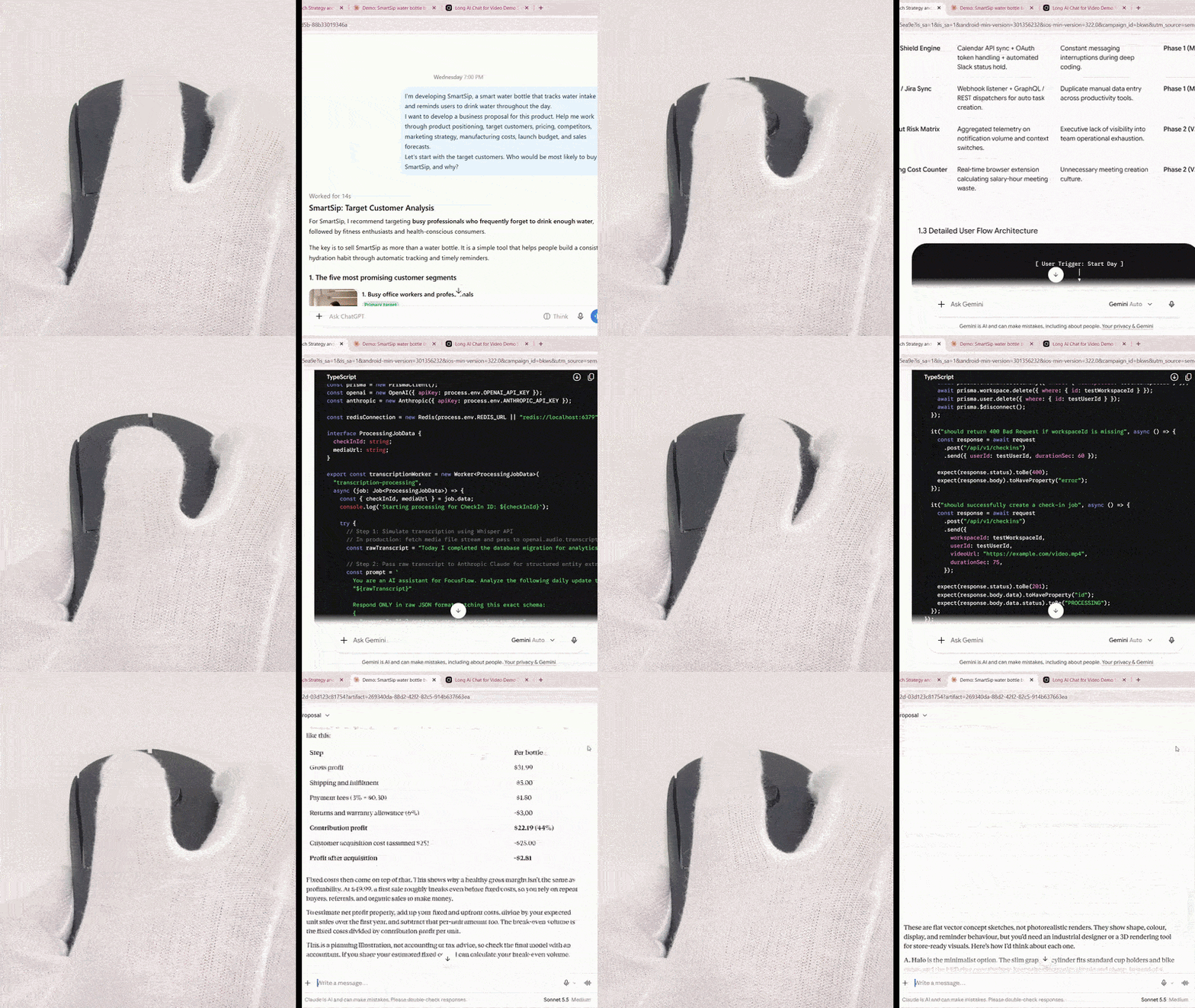
The result is a more natural, continuous scrolling motion that feels closer to turning a physical dial than repeatedly flicking a tiny wheel.
And because the rotary mechanism provides tactile detents, you can feel each movement as you scroll. You get the speed of a rotary interface without giving up the ability to make controlled adjustments.
More Speed, More Control
The Rotary Mouse can scroll up to 2.5 times faster than a standard mouse scroll wheel, helping you navigate lengthy AI conversations, large documents, spreadsheets, and code without endless repetitive flicks.
Instead of moving your finger through a series of short, repetitive gestures, you can keep rotating the dial to move through large amounts of content.
And yeah, many said it looks painful, and yeah, once they tried it, they all loved it. This is something we’re still trying to overcome – how to tell the world that appearance does not do justice to this mouse.
And unlike an infinite scroll wheel that continues spinning after a flick, the Rotary Mouse’s tactile rotary dial is designed to provide more deliberate control over scrolling.
You can move quickly when you need to cover a large distance and make smaller adjustments when you’re looking for a specific section of text. Watch the video comparison below.
The combination of speed and control is particularly useful when working with AI. You aren’t simply trying to get to the bottom of a page as quickly as possible. You’re trying to navigate information, find relevant details, and maintain your train of thought.
A More Natural Scrolling Experience
Think about how often you flick your standard mouse wheel throughout a typical working day. Scroll, stop, scroll, scroll, scrolll, stop. Repeat this hundreds of times while browsing websites, reading documents, and working with AI.
The Rotary Mouse replaces that repetitive vertical flicking with a continuous stirring motion.
It’s a small change in how you interact with your computer, but one that makes sense when you spend hours navigating long conversations and large volumes of information.
AI Is Changing How We Work. Our Mouse Should Change Too.
We’re entering the AI era whether we like it or not. We’re no longer just asking questions and reading short answers. We’re collaborating with AI like how we would collaborate with an individual. The amount of text can be endless.
At Airra Labs, we believe that improving productivity isn’t just about making AI models faster or giving them more capabilities. It’s also about improving the way we interact with them.
The Rotary Mouse brings faster scrolling, tactile precision, and a more continuous physical interaction to the long conversations that are becoming an increasingly important part of our digital lives.