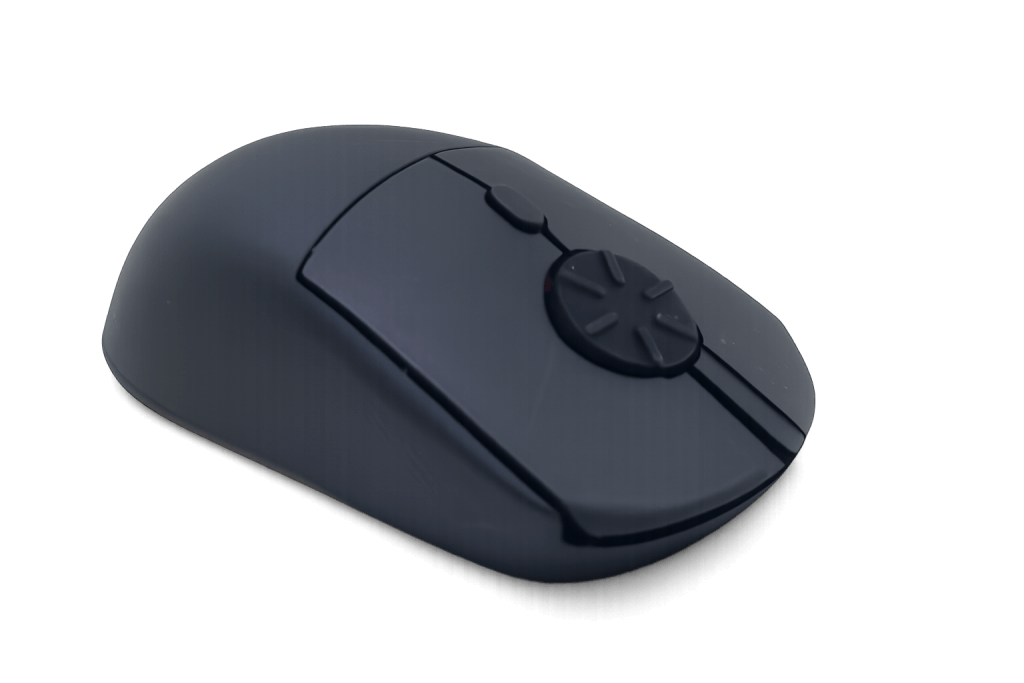


Turn Your Mouse Into Steering Wheel
Drive with precise analog steering using the Rotary Mouse.

Perfect for Euro Truck Simulator 2, American Truck Simulator and more. No expensive steering wheel required.
⭐⭐⭐⭐⭐ Loved by sim truckers

See Rotary Mouse Driving a Sim

Driven by Ammar Dizdarević, Sim Racer and Coach

Don't Have a Steering Wheel?

Most steering wheels cost hundreds of dollars.

Many players only have:

✔ Keyboard

✔ Mouse

✔ Laptop

Keyboard steering is digital.

Rotary Mouse gives you smooth analog steering.

Keyboard steering:

⬅ Full Left
➡ Full Right

vs

Rotary Mouse:

←──────────────→

Smooth steering input

Why Rotary Mouse Works

Analog Steering

Unlike keyboard steering, the rotary wheel lets you steer progressively

Familiar Controls

Keep using keyboard while you use the Rotary Mouse's wheel for steering. No pedals needed

Fast to Learn

Most users adapt within minutes because your fingers naturally rotate the wheel
Supported Games

Assetto Corsa

BeamNG.drive

American Truck Simulator

Euro Truck Simulator 2

American Truck Simulator​

More games coming soon…

How It Works

1. Connect Rotary Mouse

2. Install our steering profile

3. Launch Your Game

4. Start Driving

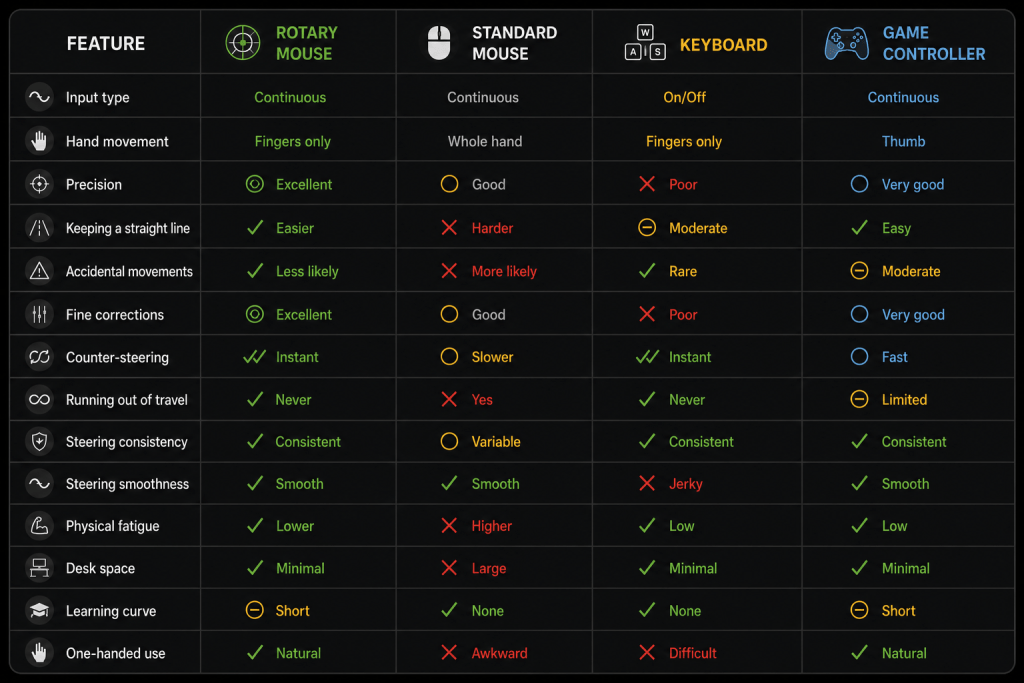
Comparison Table

Rotary Mouse Vs. Standard Mouse, keyboard and Game Controller

Rotary Mouse vs. Standard Mouse, Keyboard and Game Controller

Independent Reviews

“There is something undeniably fun about looking at a computer mouse and thinking, yeah, I’m going to drive a car with that.” – WromWrom

"I stand by my words that this product is viable for simracing. It has received its Nordschleife certificate. If it can survive this then it can survive pretty much anything." 

What People Say

Actual Feedback From Customers and Testers

"This rotary mouse is a unique idea to help avoid RSI (Repetitive Strain Injury). I have enjoyed using it recently, and I would recommend it to anyone who is having pain from using a traditional mouse."
"The rotary mouse has made my workflow noticeably faster and more intuitive. As a cloud engineer working mostly in the browser, the rotary feature feels natural and genuinely useful, not gimmicky. It’s comfortable, well designed, and a great productivity tool that I now plan to use every day for work!"
"It has a unique feel to it and once I got used to it, it is really fast. It doesn't feel tight when turning the wheel. I do hope there's a smaller size in the future with more color options. Best of luck!"
"The spin wheel feels nice. It's playing nicely with Linux so a plus for sure. After a weekend of use, I'm getting a lot more confident with the scrolling, the learning curve isn't bad at all."
Jeffrey Lawson***
New Jersey, USA​
"This has quickly become my go-to mouse for reading code documentation and research papers. The rotary wheel feels very natural to use, and I don't see myself ever going back to a traditional scroll wheel."
Rolland Liao***
Researcher, San Francisco, USA
"I found it to be very functional and found it to work quite naturally. It provides a comfortable natural position."
Ashlee Cunningham*
Ontario, Canada
"Once I started using it, I realized how slow my current mouse actually is. Now I get why a rotary mouse is worth trying. it’s so fast, and you have great control over scrolling and stopping exactly where you want. Honestly, scrolling with it became kind of addicting"
Jesselyn*
Hey Bubbles Studio, Philippines

Features

Scroll 2.5 Times Faster Yeah

You can scroll faster than any standard mouse.

Feel The Steps In Every Turn

Each click of the wheel gives you tactile feedback

Rejuvenate Your Finger

Reduce finger joint pain by incorporating range of motion (ROM) exercise.
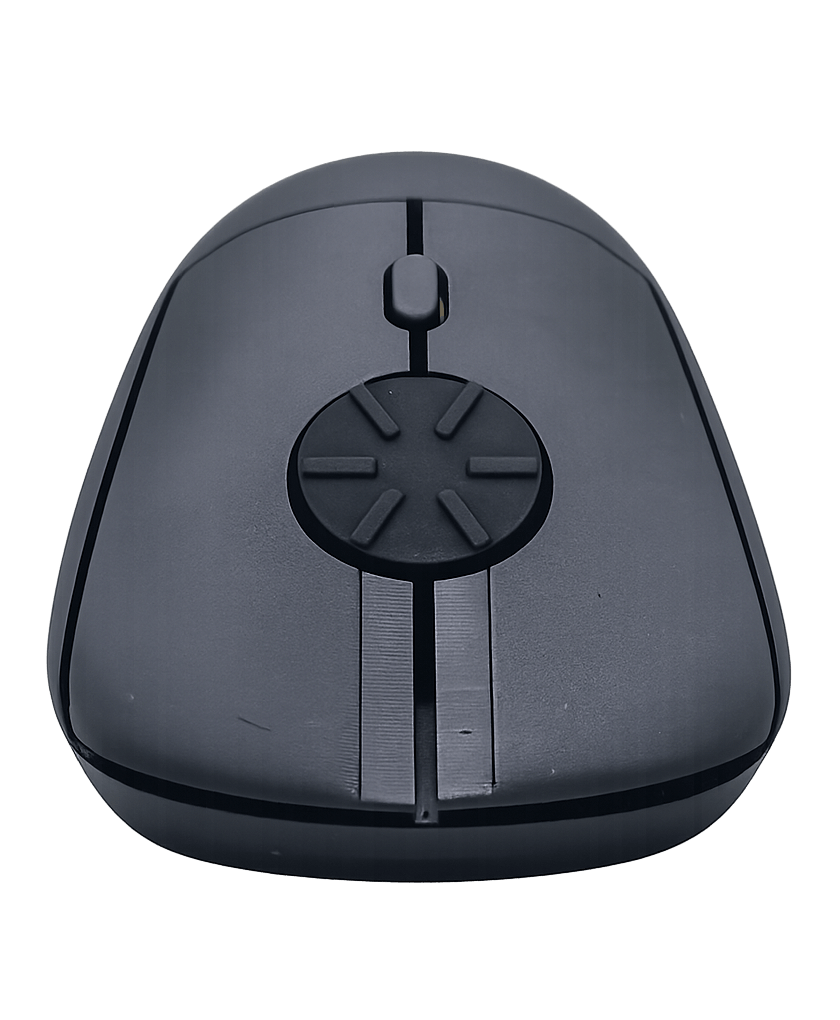
Rotary Mouse Front View

Good For Normal Use

Great for browsing websites, docs, spreadsheets, codes and more.

Also Supports Vertical Scrolling

You still can keep the old habit.

Jog Wheel Replacement

The rotary wheel acts as a jog/shuttle controller in video editing software.

Menu Effects Pro

Use one of the several cool menu effects to spice up your next great website.

All Header Variants Pro

Vertical & Horizontal (Classic, Full Width, Menu Below, Centered) at your fingertips.

One Page Mode

Need great looking landing page? Use OnePage mode and create a stunning parallax site.

Specifications

Connectivity

2.4GHz wireless connectivity with USB receiver

Dimensions

119 mm in length, 64 mm in width, and 40 mm in height (4.72 in × 2.52 in × 1.57 in)

Weight

59 g / 2.08 oz (without battery)

Buttons

Silence left/right buttons with middle and DPI button
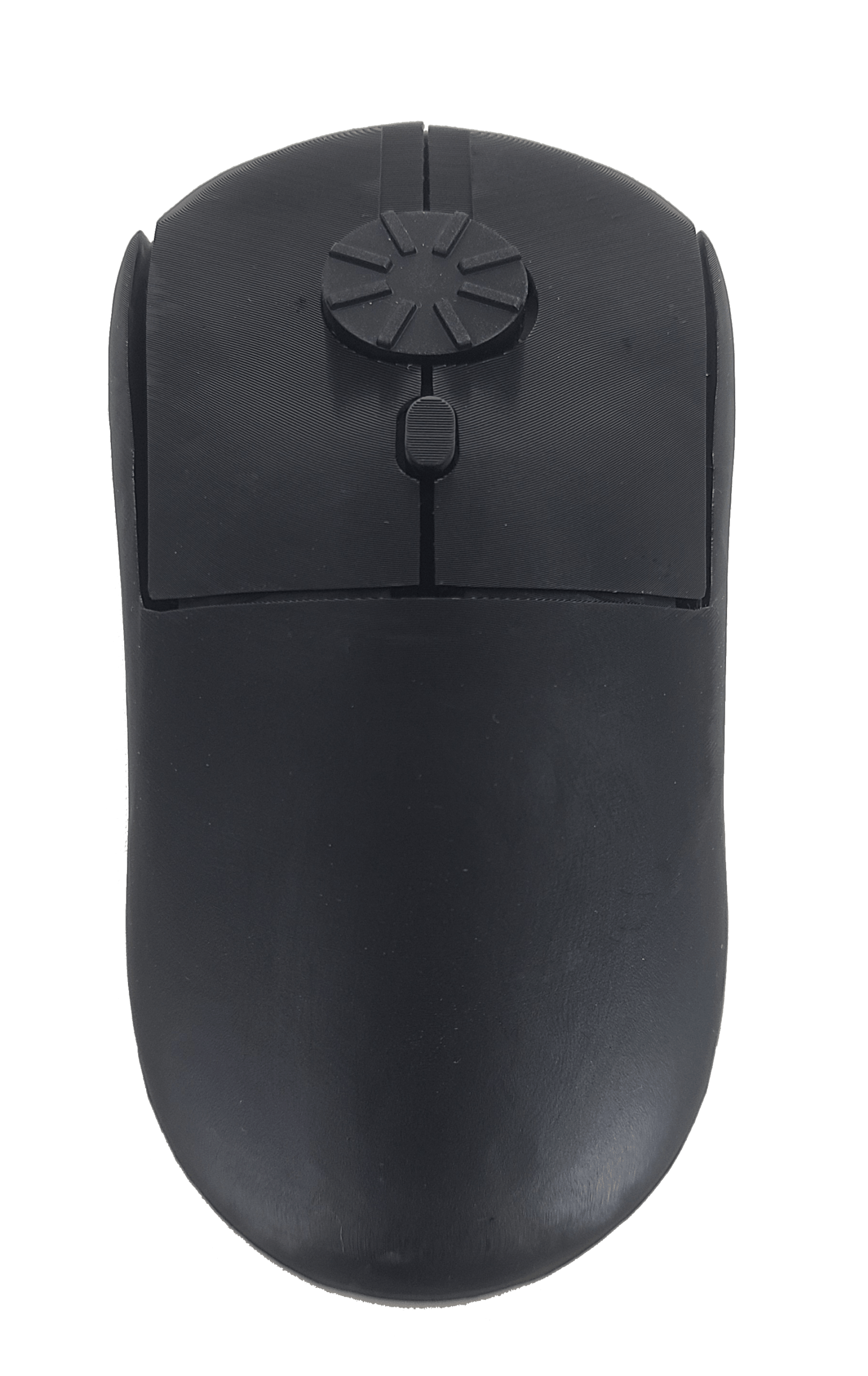
Rotary Mouse Top View

Sensitivity

800 / 1200 / 1600 DPI

Operating Systems

Windows, Mac OS, Linux, Android, etc

Power Source

1 x AAA battery (included)

Colors

Matte black. More colors coming soon!

Ergonomic Variant

Horizontal and vertical versions available
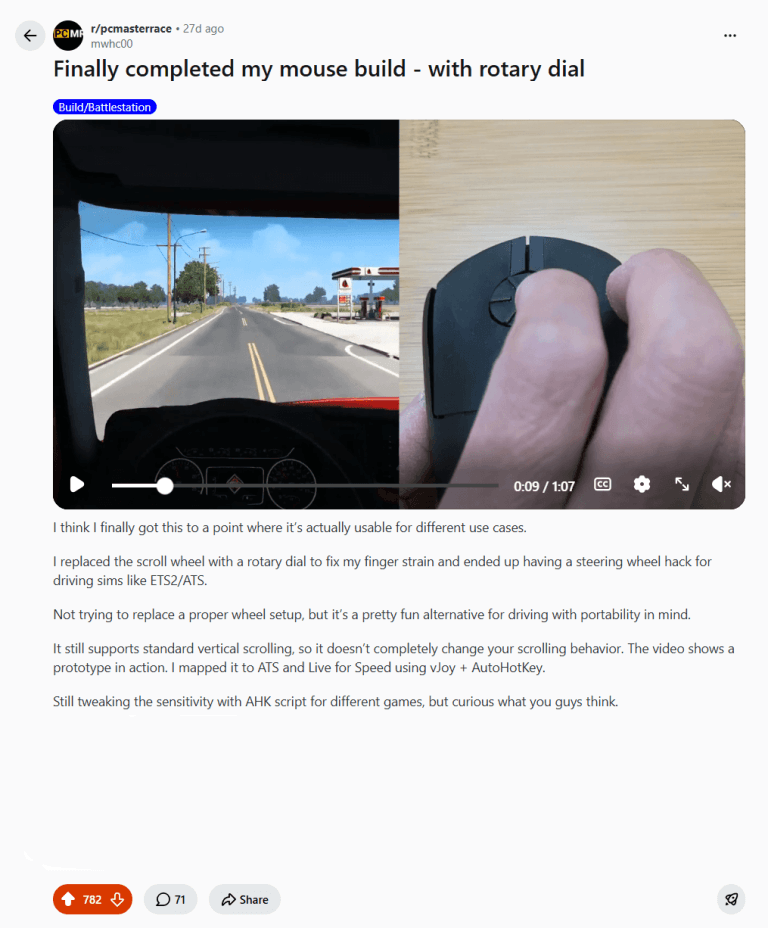
People Couldn't Believe This Works

The Mouse Reinvented for Sim Driving

Get your Rotary Mouse with 30-day money back guarantee with no return necessary.

FAQ

Usability

Does this rotary mouse feel natural?

To some people, it looks unnatural at first but once they tried, it feels very comfortable. Some independent reviewers and testers even mentioned that their finger joint feels better after using.

Does Rotary Mouse replace a full-blown steering wheel?

The Rotary Mouse is an affordable alternative for gamers who don’t own a racing wheel or want a compact setup without investing in expensive hardware.

Which games are supported?

Rotary Mouse works with many popular driving simulators, including Assetto Corsa, BeamNG.drive, Euro Truck Simulator 2, American Truck Simulator, Live for Speed, and other games that support analog steering through mouse input or third-party mapping software.

Is there any delay/lag in the game response?

The micro delay is not noticeable, as shown in our flying lap demo in Nürburgring track in Assetto Corsa.

Do I need pedals?

No. Most players use the keyboard keys for throttle and braking, while using the Rotary Mouse wheel for smooth analog steering. This creates a simple, comfortable driving setup without pedals.

Is setup difficult?

Not at all. We provide the required software profile and a step-by-step setup guide. Most users can get everything configured in just a few minutes.

Is any additional software required?

Yes. Rotary Mouse requires vJoy and AutoHotKey to map the rotary wheel to steering input. We provide instructions in our knowledge base to help you get started.

Can I switch back to scrolling after driving?

Yes. When you’re not gaming, the rotary wheel works as a fast, precise scrolling wheel for web pages, spreadsheets, documents, PDFs, and other everyday tasks.

Can I still do regular scrolling with this mouse?

Yes, absolutely. You can just turn the rotary wheel in a half-circular motion by vertical flicking.  

Can I reverse the scrolling direction?

Yes, you can. On Windows 10, you can reverse the direction by using the X-Mouse Button Control free software. On Windows 11, go to “Mouse Settings” and enable the reverse scrolling direction. On macOS, simply go to the “Apple” menu, go to “System Settings” (or “System Preferences” on older macOS). Then, click “Trackpad or Mouse” and find “Scroll direction: Natural” and toggle it off to reverse scrolling (so it behaves like Windows). By default, the mouse scrolls down when you rotate counterclockwise and vice versa. This direction mimics the Windows vertical scrolling.

Does this mouse support different mouse grips?

Different people have different mouse gripping styles, such as palm grip, claw grip, fingertip grip, pincer claw grip, and more. Our founder uses a relaxed claw grip, and it feels great for him. Different testers with different grip positions have tested our mouse, and most do not complain.

What if I’m not satisfied?

Every Rotary Mouse is backed by our 30-day money-back guarantee. If you’re not completely satisfied, simply contact us within 30 days of delivery and we’ll issue a full refund—no return required.

Specifications

Does it come with a middle button?

Yes, our current version comes with a middle button where you just need to press the middle of the wheel to trigger a click.

Which operating systems are supported?

Rotary Mouse supports Windows, macOS, and Linux for everyday use. The sim driving software profile is currently designed for Windows, where most PC driving simulators are available.

Will you be producing a wired mouse?

Yes, absolutely. But not during our crowdfunding campaign. 

30-Day Money Back Guarantee With No Need To Return | 1-Year Warranty | Worldwide Shipping | Secure PayPal Checkout