The journey of the rechargeable wireless mouse from clunky curiosity to everyday essential has been surprisingly long and steady. Back in the late 1990s, Logitech and a few others toyed with the idea, stuffing NiMH batteries into wireless mice that lived on proprietary docking stations—expensive, heavy, and definitely not something you’d buy on a whim. The real shift came in the early 2000s when the first commercially practical models arrived that still relied on those charging cradles but finally felt usable. By the mid-2000s the concept had gone mainstream whwe docks became sleeker, batteries lasted longer, and even gamers started tolerating the extra weight for the freedom of no cables. The big leap forward arrived in the 2010s when manufacturers ditched the docks entirely in favor of simple micro-USB charging and lighter lithium-ion or polymer batteries. Suddenly, the computer mouse was just another gadget you topped up like a smartphone. Now, in the late 2020s, we have USB-C charging ports on high-end mice, and it’s been gaining popularity, especially in recent models. However, there’s one thing that most people don’t realize about rechargeable gadgets. That is….they need to be charged eventually.
How Do We Charge a Wireless Mouse
A rechargeable wireless mouse comes with a pre-installed rechargeable battery, and we all take charging for granted since most of us do it almost on a daily basis with our phones. We simply plug our charging cable into the charging port. Right! So, if we connect our wireless mouse to a charging cable, is it still wireless?
Our palm companion suddenly becomes a wired device. Now, one may argue that the charging only takes one to two hours, and having a mouse tethered to the PC isn’t particularly a pain. But that does defeat the purpose of having a wireless mouse in the first place. I know why I got a wireless mouse – I simply can’t stand a cable getting in the way of my hand movements. The “pulling effect” can be annoying.
Ignoring The Low Battery Warning
I can work up to 12 hours per day and sometimes even on weekends, and I wish to maximize my efficiency so that I work less hours. When I’m “in the zone” (as some of my productive friends call it), I tend to ignore the low battery signal until the very end. That’s when the battery goes completely flat and disrupts my work. So much for productivity and efficiency.
That’s Why We Built a Mouse With Rechargeable And Replaceable Batteries
When we set out to design the rotary mouse, we wanted it to be a completely wireless mouse. We figured that if we use replaceable batteries, we can empower our users to simply swap the flat battery with a charged battery, while letting them recharge the dead one. This means our users never have to connect any charging wires to their mice.
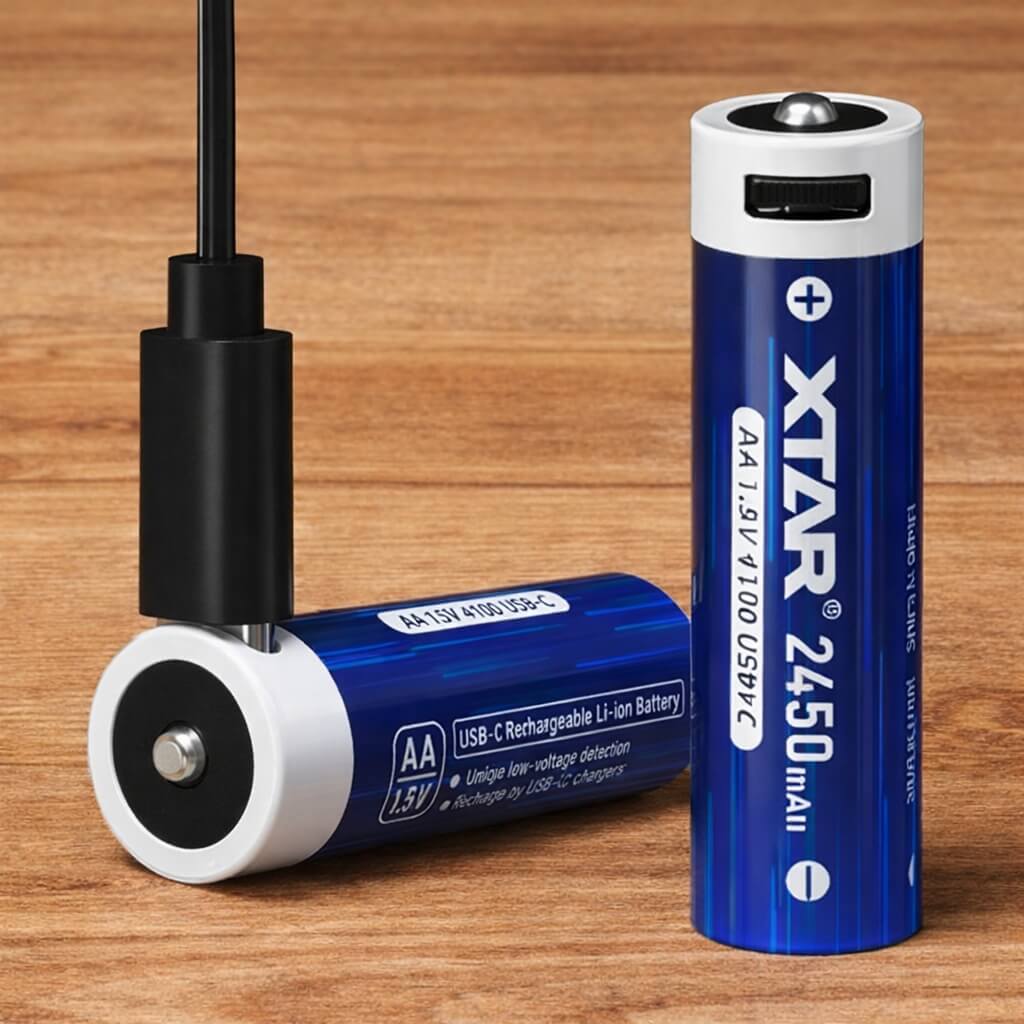
To do this, we decided to ship each mouse with two replaceable and rechargeable AA batteries – only one is used at a time. And these are no ordinary NiMh (nickel-metal hydride) dry-cell batteries. These cylindrical consumer-grade batteries come with USB-C charging ports, as shown below. You can charge them up with your good old phone charger. Do keep them together. So that when one battery goes flat, replace it with the other battery.